
Download Wakuoo – Android emulator, PC gaming, mobile games, Google Play, customizable controls, lightweight, high-performance
Overview
Wakuoo is a mobile application designed to bridge the gap between mobile gaming and desktop computing by delivering a high-performance Android emulator for Windows. Its primary purpose is to enable users to run Android games and applications directly on their PCs, offering a seamless transition from smartphone to computer. This functionality is especially valuable for gamers seeking enhanced control, larger screens, and improved performance when playing mobile titles.
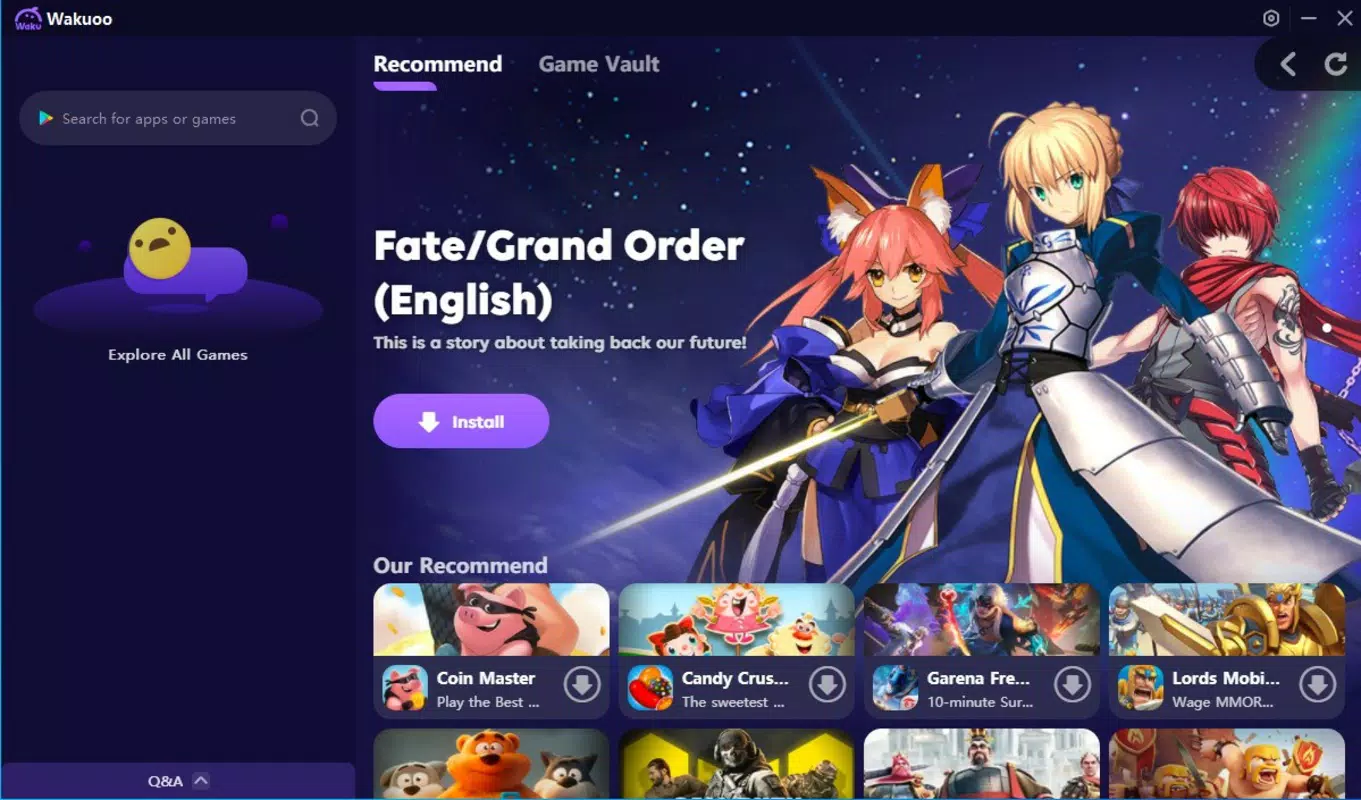
The app targets a broad audience, including casual gamers, mobile game enthusiasts, and users who prefer the precision of keyboard and mouse input over touchscreens. By providing access to the Google Play Store, Wakuoo allows users to install and manage Android apps without relying on third-party tools or complex setup procedures. This integration simplifies the process of discovering and launching games, making it accessible even to less tech-savvy users.
Wakuoo operates within the growing ecosystem of PC-based mobile gaming solutions, offering a lightweight alternative to heavier emulators. Its focus on performance and compatibility positions it as a practical tool for users with low- to mid-range hardware, ensuring smooth gameplay even on systems with limited resources. The developer, Wakuoo, has positioned the app as a utility for gamers looking to expand their mobile gaming experience beyond smartphones.
Real-world use cases include playing popular titles like Candy Crush Saga, Temple Run, Contra Returns, and PUBG Mobile on a larger display with customizable controls. The app also supports both classic and recent mobile releases, making it a versatile option for users who want to enjoy a wide variety of games without switching devices.
Key Features & Functionality
- Android Emulation for Windows – Wakuoo enables full Android environment emulation on Windows PCs, allowing users to run Android apps and games natively.
- Integrated Google Play Store Access – Users can download and install Android applications directly from the Google Play Store without external tools or sideloading.
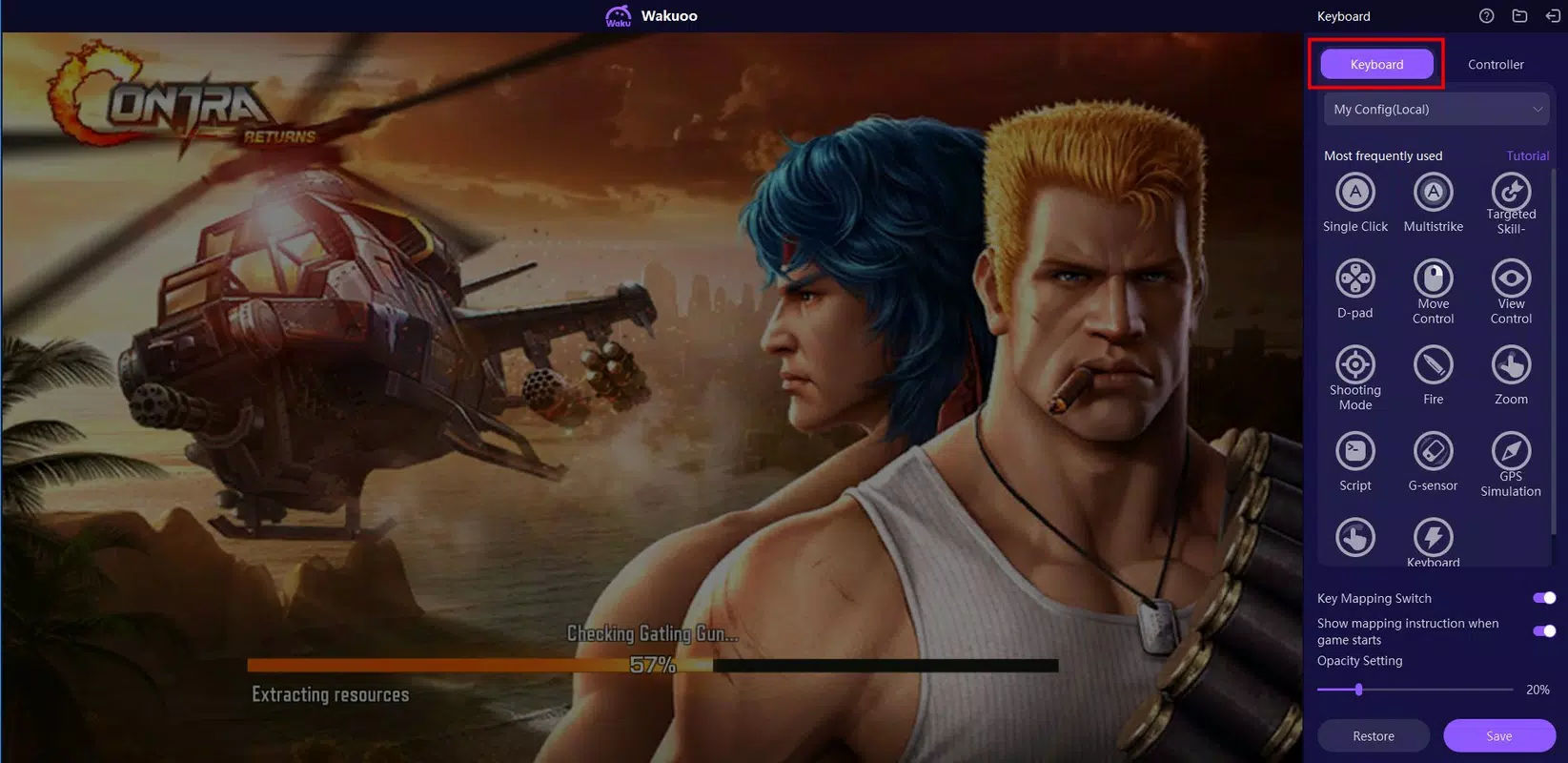
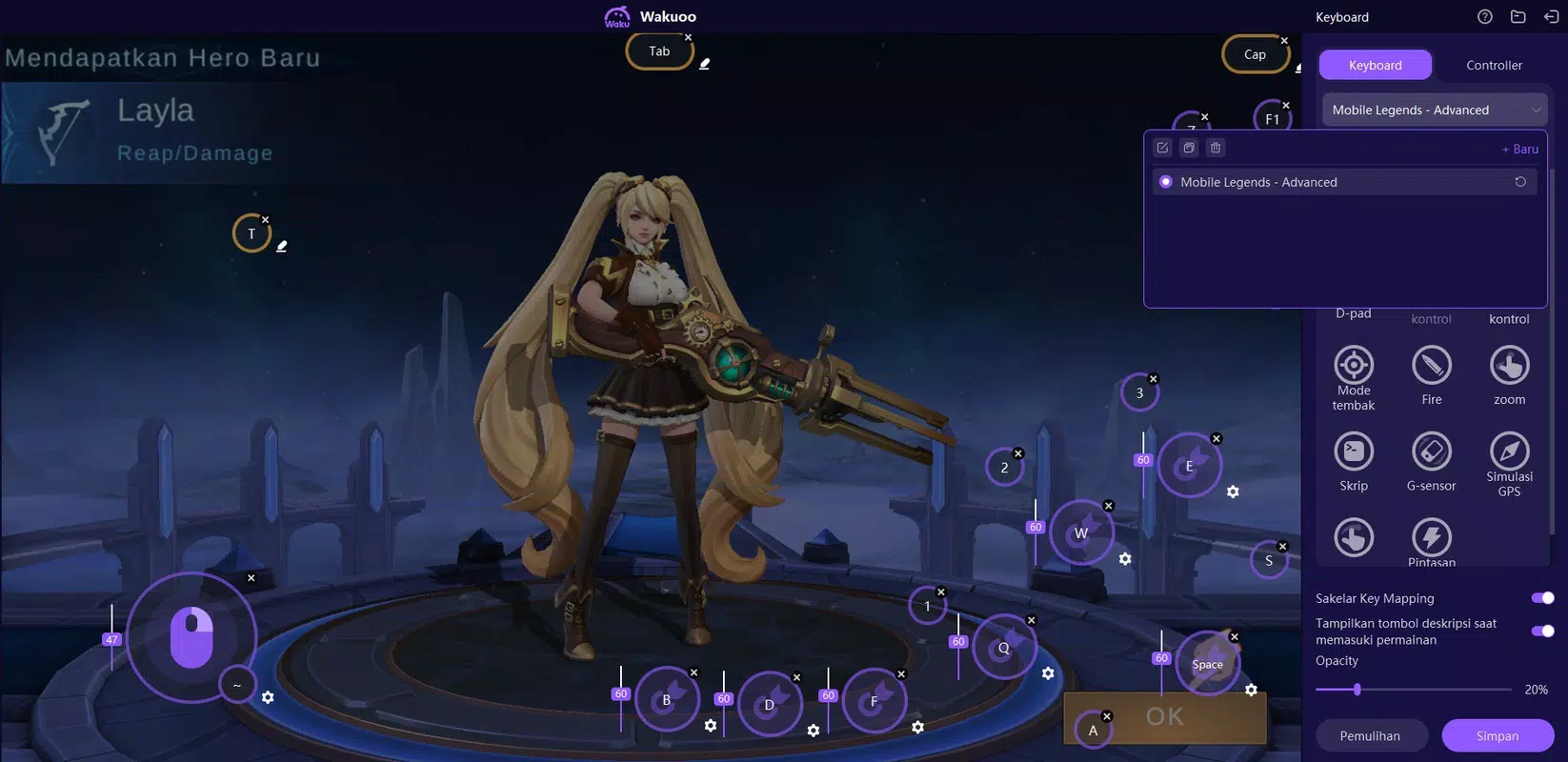
- Customizable Control Mapping – Offers flexible input configuration, supporting keyboard, mouse, and gamepad inputs tailored to different game genres.
- High-Performance Optimization – Designed to deliver smooth gameplay with minimal lag, even on systems with lower technical specifications.
- Lightweight Architecture – The app maintains a small footprint, contributing to faster startup times and efficient memory usage during gameplay.
- Multi-Game Support – Compatible with a wide range of Android games, including both legacy titles and recent releases like PUBG Mobile and Contra Returns.
For example, a user playing a touch-based puzzle game like Candy Crush Saga can switch from touchscreen to mouse control for greater precision. Similarly, a player of third-person action games can map complex commands to a gamepad for enhanced responsiveness. The emulator’s ability to adapt to different input methods enhances the overall gaming experience.
Another key benefit is the ease of game installation. With Google Play integration, users can browse, download, and update apps directly within the emulator, eliminating the need for manual APK file handling. This streamlines the workflow and reduces the risk of compatibility issues or security vulnerabilities associated with unofficial sources.
Interface, UX & Performance
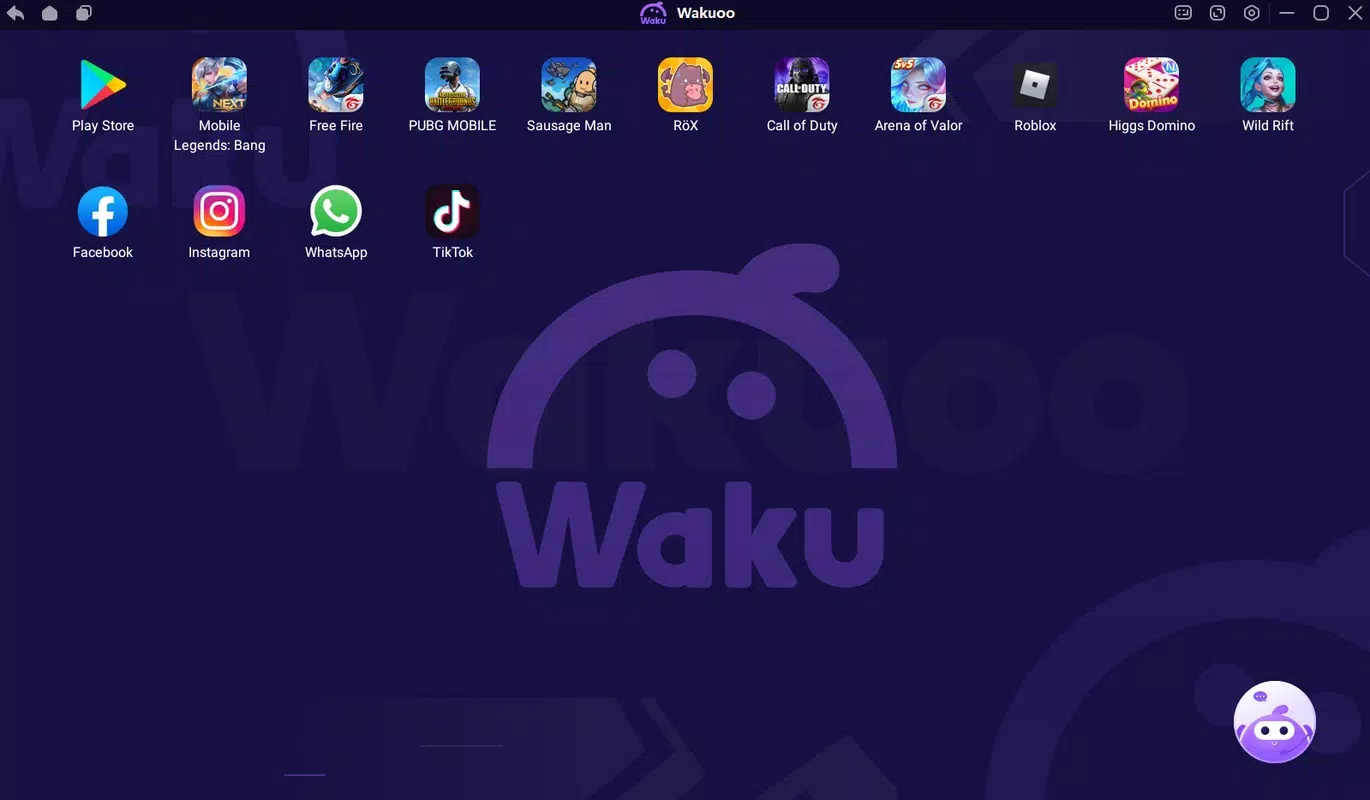
The user interface of Wakuoo is designed with simplicity and functionality in mind. The layout is clean and intuitive, featuring a central emulator window surrounded by navigation panels for app management, settings, and control configuration. This structure allows users to quickly access their favorite games and adjust preferences without navigating through cluttered menus.
Navigation is straightforward, with logical grouping of features and minimal onboarding steps. The emulator’s responsiveness is evident during both startup and gameplay, with fast loading times and minimal input lag. Although the developer did not list formal performance metrics, user reports indicate stable operation across various Windows configurations.
Stability is a notable strength, with consistent behavior during extended gaming sessions. The app maintains smooth frame rates in supported titles, and crashes are infrequent. However, compatibility may vary depending on the game and system specifications, as some titles may require manual adjustments to emulator settings for optimal performance.
Performance on low-spec devices is particularly impressive, with the app functioning effectively on systems with limited RAM and older processors. This makes Wakuoo a strong choice for users who lack high-end gaming PCs but still want to enjoy mobile games on a larger screen. The lightweight design contributes significantly to this efficiency, ensuring minimal strain on system resources.
Platform Compatibility & Technical Requirements
Wakuoo is available exclusively for the Windows platform. The current version is 1.0.0, with a file size of 1.2 GB. This indicates a relatively compact installation package, especially considering the functionality it delivers.
The developer did not specify minimum OS requirements, nor did they list supported Windows versions. As such, compatibility with specific Windows editions (e.g., Windows 10, Windows 11) remains unclear. Users should exercise caution when installing on older or non-standard systems.
Given the app’s lightweight nature and performance on low-spec hardware, it is likely optimized for modern Windows environments. However, without official documentation, users are advised to verify system compatibility before installation.
Pros and Cons
Pros
- Free to download and use, making it accessible to a wide audience.
- Offers direct access to the Google Play Store for easy app installation.
- Highly customizable control options for keyboard, mouse, and gamepad.
- Lightweight design ensures smooth performance on low-end PCs.
- Supports a broad range of Android games, including popular and recent releases.
- Simple and intuitive user interface with minimal learning curve.
Cons
- Specific system requirements were not listed by the developer.
- Compatibility with certain games may require manual configuration.
- No official information on update frequency or long-term support.
- Limited details on security protocols or data handling practices.
- Platform availability is restricted to Windows only.
FAQ
Is Wakuoo safe to download and install?
Wakuoo is available for free and appears to be distributed through official channels. However, users should ensure they download the app from trusted sources to avoid potential security risks.
Can I use Wakuoo on older versions of Windows?
The developer did not specify supported Windows versions. While the app may function on older systems due to its lightweight design, compatibility is not guaranteed without official confirmation.
Does Wakuoo support gamepad input?
Yes, Wakuoo supports gamepad input and allows users to configure controls according to their preferences, enhancing gameplay for action and shooter titles.
How often are updates released?
Update frequency has not been disclosed by the developer. Users are advised to check the official website or distribution platform for the latest version.
Is Wakuoo available for Android or iOS?
Currently, Wakuoo is only available for Windows. There is no official information about versions for Android or iOS devices.
Final Thoughts
Wakuoo stands out as a capable and accessible Android emulator for Windows users seeking to expand their mobile gaming experience. Its combination of Google Play integration, customizable controls, and lightweight performance makes it a compelling option for gamers across all levels. Whether you're revisiting classic mobile titles or diving into the latest releases, Wakuoo delivers a seamless and efficient experience.
Its free pricing model, ease of use, and broad game compatibility position it as a valuable tool in the PC gaming ecosystem. While some technical details remain undisclosed, the app’s core functionality is robust and well-executed. For users with limited hardware resources, Wakuoo offers a powerful alternative to more demanding emulators.
Download Wakuoo now


